
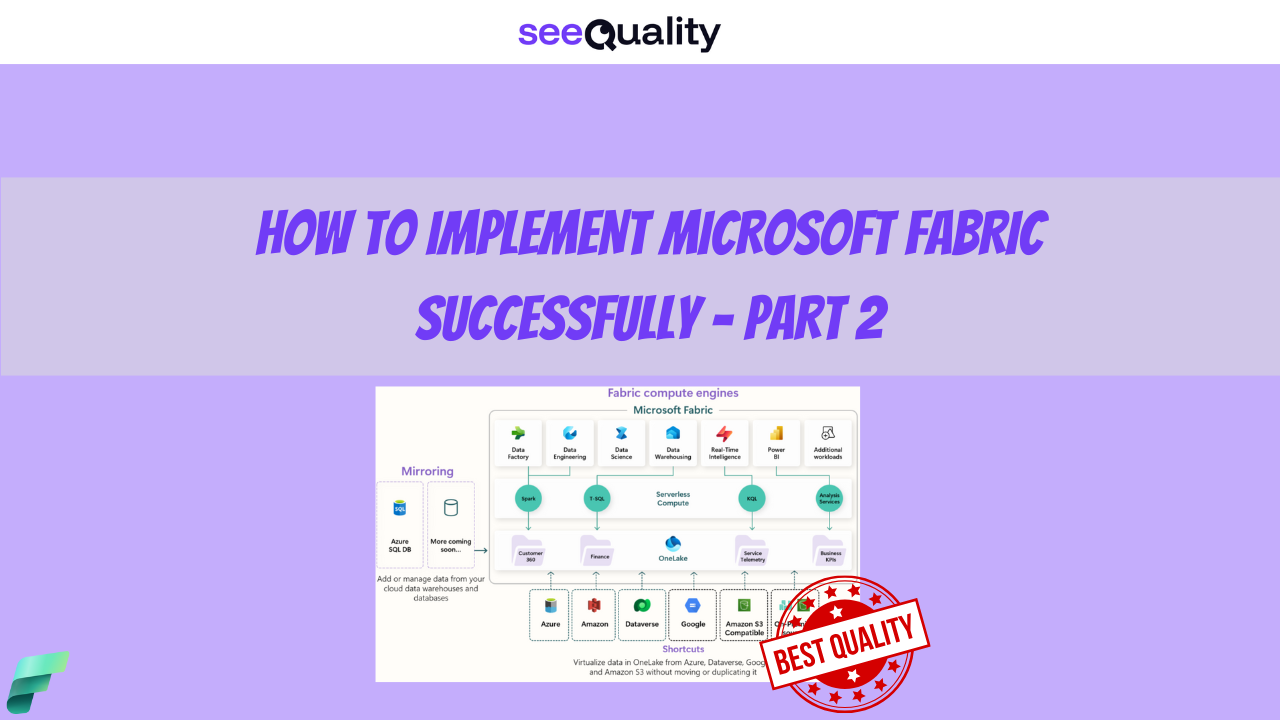
Today, I continue writing my thoughts about Microsoft Fabric implementation. In this part, we will focus on specific services, data access, DevOps, and also CI/CD. If you are reading this, I recommend that you read the first part, which can be found here.
Which service to use?
Fabric offers a wide range of services, and we must carefully evaluate which one is most appropriate for our needs. I strongly recommend that you do not rely on random opinions found on social media. Instead, please assess the options independently based on your own requirements. To assist you, I have prepared summary tables that clearly outline the key functionalities of each service. First of all let’s focus on extraction and orchestration:

The most important takeaway from the picture above is that Dataflow Gen2 works really well for self-service and smaller scenarios, but I wouldn’t recommend it for enterprise-scale solutions. The technology has seen many improvements recently – including significant performance gains – but I still don’t see any clear advantage over Data Pipelines, which are more metadata-driven and scale much better even in larger environments.
At the moment, the easiest and most reliable way to handle orchestration is to use Data Pipelines for both orchestration and extraction from source systems – I recommend sticking with this approach until you have a very specific, different use case.
Some of you might think you can orchestrate everything using Spark and notebooks. I agree it’s possible, but I still find Data Pipelines easier – especially when considering things like concurrency control, monitoring, and maintainability. That’s just my personal preference, of course. Also worth remembering: behind Data Pipelines there’s just JSON – which can be easily generated programmatically or even with Copilot assistance.
When it comes to streaming data, you have the Eventstream component, which lets you bring real-time events into Fabric, transform them, and route them to various destinations – all without writing any code. If you’re dealing with real-time data, it can be a great choice. That said, you also have Spark Structured Streaming, where you can read from streaming endpoints and process data using code. The choice here mostly depends on your team’s skillset. Personally, I’m a big fan of Spark Structured Streaming, so that’s my default recommendation.
So, should we use Spark for orchestration and ingestion? Yes, you can — but keep in mind this will be a purely code-based approach, so your team needs the proper skillset.
My final recommendation summary:
- Orchestration: Data Pipelines
- Ingestion:
- Use Data Pipelines if a native connector exists and it’s pure batch processing
- For API extraction (with pagination, etc.): prefer Python + Notebooks
- If the dataset is small and there’s really no other good option: Dataflows Gen2
- Streaming: Spark Structured Streaming (preferred) or Eventstream if the team lacks Spark streaming coding skills
Second set of services that we must consider are connected to data store:

The choice here can also be difficult. We’ll start with the simpler part, which is the Fabric SQL Database. It should never be your default choice for standard batch or streaming data processing – for those, we have better options.
The SQL Database is a great place to store configuration data for metadata-driven pipelines. It is also excellent for transactional workloads that require instant response times. So, if you have application workloads needing low latency, it can fit perfectly into your architecture. There are also some AI usage scenarios where the SQL Database can be useful due to its relational nature.
When it comes to streaming data that needs to store semi-structured data and be analyzed on a daily basis, Eventhouse is a great choice. Think of it like Log Analytics in Azure, where massive volumes of logs can be stored while still allowing efficient and easy querying. Don’t use this service for anything else – it is strictly tied to streaming data processing, but for a specific kind of data like logs, telemetry, etc.
If you have streaming data that is more transactional in nature, my recommendation is to consume and materialize it using Lakehouse with notebooks.
Then we come to one of the biggest questions that arises when thinking about data stores: which one should I use – Warehouse or Lakehouse? Microsoft provides a simple decision tree that looks as follows:

The decision tree begins with three primary questions at the top level, each branching downward to intermediate options and ultimately recommending either Warehouse or Lakehouse.
- First question: “How do you want to develop?”
- Spark: Leads to Lakehouse.
- TSQL: Leads to Warehouse.
- Second question: “Do you need multi-table transactions?”
- No: Leads to Lakehouse.
- Yes: Leads to Warehouse.
- Third question: “What kind of data are you analyzing?”
- Unstructured Leads to Lakehouse.
- Structured Leads to Warehouse.
- Don’t know Leads to Lakehouse.
Your default choice should be Lakehouse, as it provides the same capabilities as Warehouse – plus more. Don’t hesitate to choose it. Warehouse should be your choice primarily if you are sure that T-SQL is your preferred language and you want to leverage structures typical to it, such as stored procedures. Even in this scenario, however, consider using Lakehouse instead 🙂 There are some cases where Warehouse can be useful as a Gold layer, but this is only true if you specifically need features natively available in Warehouse, such as snapshots. If you have no plans to use these, then Warehouse is not a good choice for you.
Data Access
Significant number of organizations encounter challenges in managing permissions within its Microsoft Fabric and Power BI environments. Multiple audits highlighted deficiencies in access control processes, resulting in the development of numerous complex solutions for granting and revoking permissions.
Particularly problematic areas included:
- Blocking access when a user changed departments, often leading to delayed or incomplete revocation of prior permissions.
- Granting excessively high permission levels, such as assigning Member roles instead of the more appropriate Viewer roles.
My proposal from the beginning of implementation is to address these issues and establish a more structured and governed approach, the following practices can be implemented:
- Fabric workspaces can be created automatically through DevOps pipelines, ensuring consistency and traceability.
- Access to Power BI resources can be granted exclusively via Microsoft Entra ID security groups (no direct assignments!).
- Ownership of these Entra ID groups can be assigned to business and data owners rather than IT personnel, promoting accountability within the relevant business units.
- Microsoft Entra ID logs can be utilized to determine current access entitlements and to investigate historical access patterns.
- Regular access verification can be conducted using the Access Reviews mechanism, enabling periodic attestation of group memberships.
- For scenarios requiring elevated privileges, Privileged Identity Management (PIM) was employed, allowing just-in-time activation of higher-level roles with appropriate approvals and time-bound access.
How to automatically create workspaces and deploy code between them? Below picture general concept:

Developers interact with Azure DevOps to develop code and commit changes to Azure repositories. Microsoft Entra ID handles the creation of security groups for access control. Azure pipelines within Azure DevOps automate the creation of workspaces in Microsoft Fabric. A synchronization process ensures consistency by transferring configurations from Azure repositories and pipelines to Microsoft Fabric.
In Microsoft Fabric, segregated environments are maintained with prefixed area names corresponding to development stages: [DEV], [UAT] for user acceptance testing, [TEST], and [Prod] for production. Deployment pipelines facilitate the progressive promotion of content through these environments in sequence, from development to production. This setup enforces governance, security through Entra ID groups, automation via Azure pipelines, and controlled deployment of data assets across lifecycle stages in Microsoft Fabric.
Technically I already prepared article about this, you can find it here: link.
Example data access structure looks as follows:

My example consists of three Entra security groups to manage access:
- The group “pbi-area-name-developers” receives Viewer permissions from the [DEV] Area Name workspace.
- The group “pbi-area-name-testers” receives Viewer permissions from both the [UAT] Area Name and [TEST] Area Name workspaces.
- The group “pbi-area-name-viewers” receives Viewer permissions from the [Prod] Area Name workspace.
Membership in these groups determines user access, achieved through add/remove member operations:
- IT Owners and Developers are added as members to “pbi-area-name-developers”.
- Testers are added as members to “pbi-area-name-testers”.
- Business Owners and Users are added as members to “pbi-area-name-viewers”.
This structure ensures that role-based access to specific Fabric environments is controlled centrally via Entra security group memberships, with each group holding the appropriate Viewer permissions on the targeted workspaces. For higher privileges consider using PIM (Privileged Identity Management) where users can elevate themselves, For automation Service Principals/Managed Identity should be used (wherever possible). Below you can see how it can work:

Repository and DevOps
In Microsoft Fabric, automation and code repositories are essential for efficient application lifecycle management, CI/CD and collaborative development. Native Git integration synchronizes workspace items—such as lakehouses, notebooks, reports, and pipelines—with external repositories like Azure DevOps or GitHub. There is a lot of possibilities to deploy your items and the only thing that I want to highlight is what to do if specific functionality does not work with version control (like Data flows gen 1) and simple answer is: just don’t use it for bigger deployments 🙂
Power BIbenefits from developer-friendly formats like Power BI Project (PBIP), which structures reports and semantic models as text-based files, and the enhanced report format (PBIR), which uses granular JSON for report metadata. These formats improve Git compatibility, change tracking, merge resolution, multi-developer collaboration, and alignment with DevOps practices in reporting workflows.

In the perfect scenario PBI developers should commit changes to the repository and this repo should be in sync with proper Development workspace. Deployment between development workspace and further environments should be fully automated using Power BI Deployment Pipelines or any other method:

Governance and Information Protection
Governance is huge topic and I will not cover everything but wanted to highlight just two things. First one is that you should consider who is creating workspaces in your organization.
There are two primary approaches to determine that:
- The IT-centric approach emphasizes fixed governance, making it easy to manage. However, it limits self-service and data democratization, potentially creating bottlenecks in IT and placing full responsibility on IT teams. This method also allows for automation and the use of infrastructure as code.
- The PBI users-centric approach supports self-service and data democratization. Nevertheless, it can result in inconsistencies and uncontrolled growth in capacity usage. It requires strong governance processes and education, with responsibility delegated to users, though it may lead to limited adoption of DevOps practices.
A mixed approach combines elements of both. Evaluate which one fits you best.
Additionally remember that Governance is mostly based on processes but you can help yourself using existing functionalities like for example Microsoft Purview (Information Protection) that can be useful in the following key areas:
- Sensitivity labeling: Enables classification of Fabric items (such as lakehouses, warehouses, semantic models, and reports) to identify sensitive data.
- Access control: Enforces protection policies that restrict or grant access based on labels, overriding standard permissions where necessary.
- Data protection persistence: Ensures labels and protections remain applied when data is exported (e.g., to Excel or PowerPoint).
- Data loss prevention: Supports policies to detect and prevent unauthorized sharing or exfiltration of sensitive information within the Fabric tenant.
- Compliance monitoring: Provides auditing of label-related activities and policy enforcement for regulatory adherence.
Sounds cool, isn’t it?
Summary
That’s everything you need to start with Microsoft Fabric.
Begin by checking if it really fits your company. Then choose the right capacity size and pause it when no one is using it to keep costs low. Add strong security with Private Link or Conditional Access to protect your data. Pick Lakehouse as the main place to store data because it works for almost any need. Always give access through Entra ID groups and never directly to individual people. Use Azure DevOps to create workspaces automatically and move code between them. Decide who in your company can create new workspaces and turn on sensitivity labels to keep sensitive information safe.
Follow these steps and you will end up with a system that is secure, costs less, and can grow with your needs. Both developers and business users will find it easy to work with. Microsoft continues to improve Fabric with new features, better AI tools, and simpler ways to connect data. Keep an eye on the latest updates.
Start with the first step today. You will notice the benefits very soon.
Thank you for reading.

- Power BI Integration with GITHUB – March 31, 2026
- V-Order in Microsoft Fabric – what is that? – March 9, 2026
- Recovering dropped tables in Azure Databricks with UNDROP TABLE – February 26, 2026

Leave a Reply